CROOKED
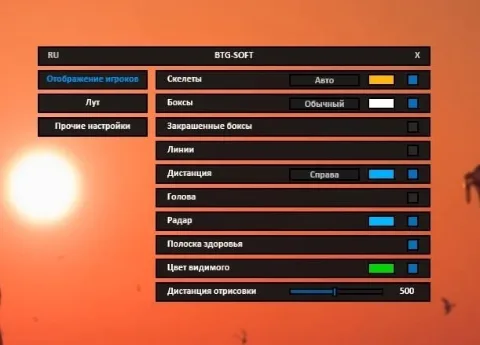
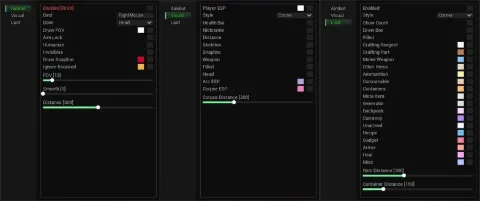
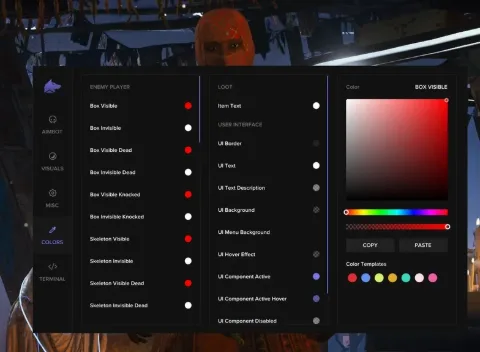
CROOKED is a private cheat for Arc Raiders offering Aimbot, ESP, and radar functionalities with visibility settings, health tracking, aiming distances, and full color customization for an optimal gaming experience.
This term is delivered manually: the key will arrive in the FunPay order chat within 2 h after payment.
This product cannot be bought right now: the developer is updating it after a game update. It usually takes from a few hours to a couple of days.
- Your key arrives right after payment
- Payment via FunPay — your money is protected by the marketplace
- Launch instructions come with the key
- Your key is issued right after payment
- Online payment with a convenient method
- Launch instructions come with the key
Functions CROOKED
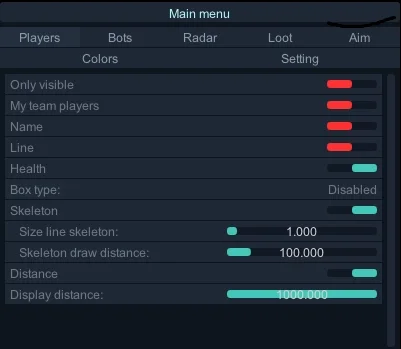
Players11
- Only visible
- My team players
- Name
- Line
- Health
- Box type
- Skeleton
- Size line skeleton
- Skeleton draw distance
- Distance
- Display distance
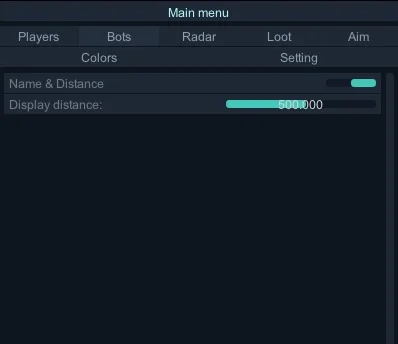
Bots2
- Name & Distance
- Display distance
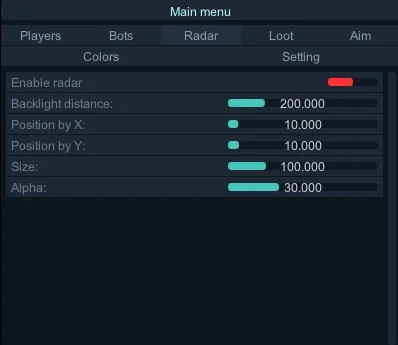
Radar6
- Enable radar
- Backlight distance
- Position by X
- Position by Y
- Size
- Alpha
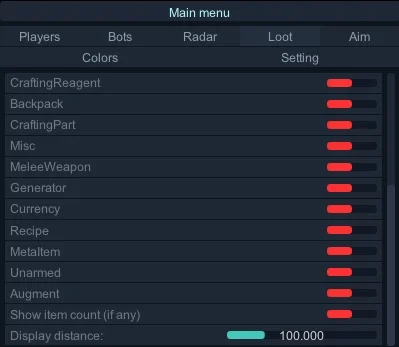
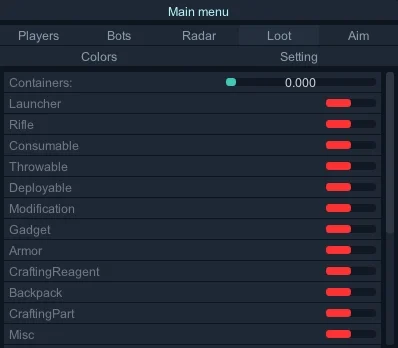
Loot23
- Containers:
- Category(Raiders / Arc / Activity (raider stashes, events / Other containers)
- Launcher
- Rifle
- Consumable
- Throwable
- Deployable
- Modification
- Gadget
- Armor
- CraftingReagent
- Backpack
- CraftingPart
- Misc
- MeleeWeapon
- Generator
- Currency
- Recipe
- MetaItem
- Unarmed
- Augment
- Show item count (if any)
- Display distance
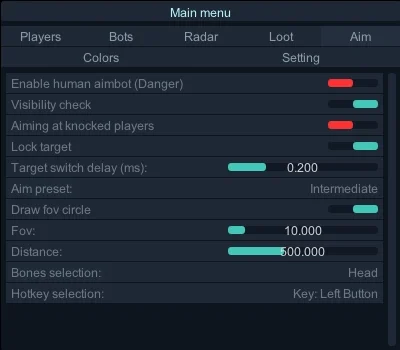
Aim5
- Enable human aimbot (Danger)
- Visibility check
- Aiming at knocked players
- Lock target
- Target switch delay (ms)
Custom — Unlocks all parameters (Smooth, Jitter, Inertia, etc.) for personal tuning.10
- Distances for smooth / jitter
- Smooth — Adjusts aim movement speed and smoothness. Higher values = slower and smoother.
- Jitter — Adds random shaking instead of smooth motion to imitate human-like micro-movements.
- Inertia — Controls momentum; higher = smoother, lower = snappier.
- Overshoot chance — Chance to overshoot target.
- Overshoot amount — Distance of overshoot beyond target.
- Micro pause chance — Chance to make a small pause during aiming, simulating real player reactions.
- Draw FOV circle
- FOV — Field of view radius for aimbot.
- Distance — Aimbot working range.
Bones selection9
- Head
- Neck
- Left elbow
- Right elbow
- Body
- Pelvis
- Left knee
- Right knee
- Hotkey selection — Set hotkey to activate aimbot (must be held to aim).
Colors24
- Visible players color
- Invisible players color
- My team players color
- Target player color
- Containers:
- Launcher
- Rifle
- Consumable
- Throwable
- Deployable
- Modification
- Gadget
- Armor
- CraftingReagent
- Backpack
- CraftingPart
- Misc
- MeleeWeapon
- Generator
- Currency
- Recipe
- MetaItem
- Unarmed
- Augment
Setting2
- Key to disable loot
- Open menu key (default "HOME")
Misc1
- Active grenades & mines
Description
The private CROOKED cheat for Arc Raiders is the ultimate tool for gamers seeking maximum control and efficiency on the battlefield. With its Aimbot, users can prioritize visibility checks, set smooth aim adjustments, and choose specific body parts to target, ensuring an accurate and responsive shot. The ESP provides detailed information on players' health, names, distances, and skeletons, along with customizable radius and visibility options for superior situational awareness. An integrated radar enhances target tracking by allowing precise positioning and range adjustments. CROOKED also features extensive color customization for distinguishing friends from enemies, along with options for active explosive display, loot management, and more. Ideal for those who aim to dominate each match, CROOKED brings unmatched advantage and control to Black Ops 6 gameplay.
System requirements
- Supported game version
- Steam, xbox
- Included spoofer
- No
- Anticheat
- Game anticheat
- Stream Bypass
- Yes
- Supported game modes
- Windowed
- Supported CPU
- AMD&Intel
- Supported OC
- Windows 10 , Windows 11 (1903-25H2)
Support
- Launch instructions come with the key.
- Before the first launch go through PC preparation — most errors will not appear.
- Answers to common questions are on the FAQ page.
- If something does not work, write to the FunPay order chat or support with a screenshot of the error and your Windows version.