Catalog / PUBG MOBILE / BTG
PUBG MOBILE · all BTG products
BTG
We are selling private cheats for online games. Take advantage of online payment and start enjoying the game with cheat for Pubg Mobile!
Total$8.43
UpdatingThis term is delivered manually: the key will arrive in the FunPay order chat within 2 h after payment.
This product cannot be bought right now: the developer is updating it after a game update. It usually takes from a few hours to a couple of days.
- Your key arrives right after payment
- Payment via FunPay — your money is protected by the marketplace
- Launch instructions come with the key
- Your key is issued right after payment
- Online payment with a convenient method
- Launch instructions come with the key
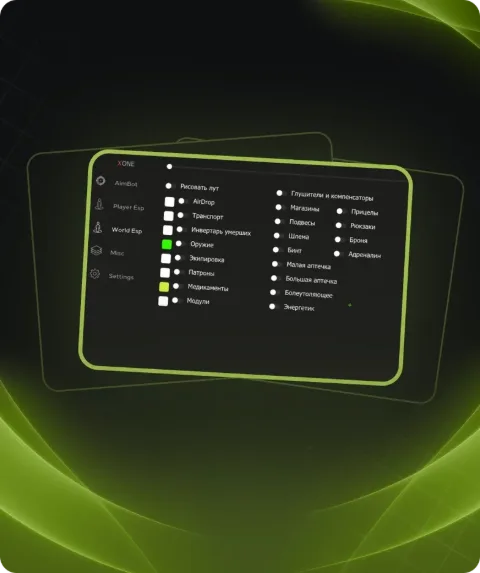
Functions BTG
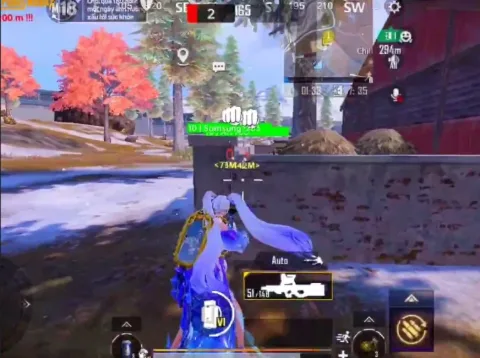
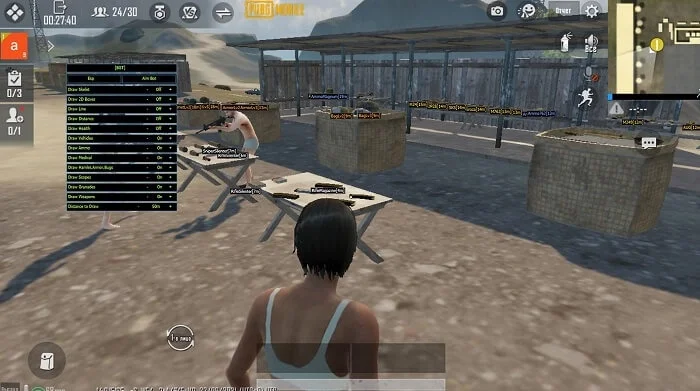
- AimBot - auto-aiming at enemies (And its settings)
- Draw Skeleton - shows the skeleton of enemies
- Draw 2D Box - draw enemies in squares
- Draw Lines - draws lines to enemies
- Draw Distance - displays the distance to enemies
- Draw Health - displays the health of enemies
- Draw Vehicles - displays vehicles
- Draw Ammo - highlights magazines (ammo)
- Draw Medical - highlights medicines [loot]
- Draw Helmet , Armor , Bugs
- Draw Scopes - displays sights [loot]
- Draw Granades - displays grenades [loot]
- Draw Weapons - displays weapons [loot]
- Distance to Draw - setting the radius of ESP functions
Description
We are selling private cheats for online games. Take advantage of online payment and start enjoying the game with cheat for Pubg Mobile!
System requirements
- Supported Disk format
- Support only GPT DISK (MBR doesnt work)
- Included spoofer
- No
- Anticheat
- Game anticheat
- Stream Bypass
- Yes
- Supported game modes
- All
- Supported CPU
- Intel & AMD
- Supported OC
- Windows 10 Pro (2004, 20H2, 21H1, 21H2, 22H2)
Attention! Playmate Market is not responsible for failure to meet the system requirements. Errors in the cheat caused by not meeting the system requirements are not grounds for a refund.
Support
- Launch instructions come with the key.
- Before the first launch go through PC preparation — most errors will not appear.
- Answers to common questions are on the FAQ page.
- If something does not work, write to the FunPay order chat or support with a screenshot of the error and your Windows version.