Vengeance
Buy Vengeance for ROB RUN at Playmate Market. Aimbot in Full, Player and Vehicle ESP, world objects, radar auto zoom, Battle Mode and configuration profiles.
This term is delivered manually: the key will arrive in the FunPay order chat within 2 h after payment.
- Your key arrives right after payment
- Payment via FunPay — your money is protected by the marketplace
- Launch instructions come with the key
- Your key is issued right after payment
- Online payment with a convenient method
- Launch instructions come with the key
Functions Vengeance
Versions and Controls5
- Full includes aiming; Lite disables aiming while retaining core ESP, world objects, radar, Battle Mode and profiles.
- Right Shift opens/closes the menu; aiming pauses while the menu is open.
- F4 is used at startup continuation and is not the menu key.
- The master overlay switch controls visual rendering separately from aim activation.
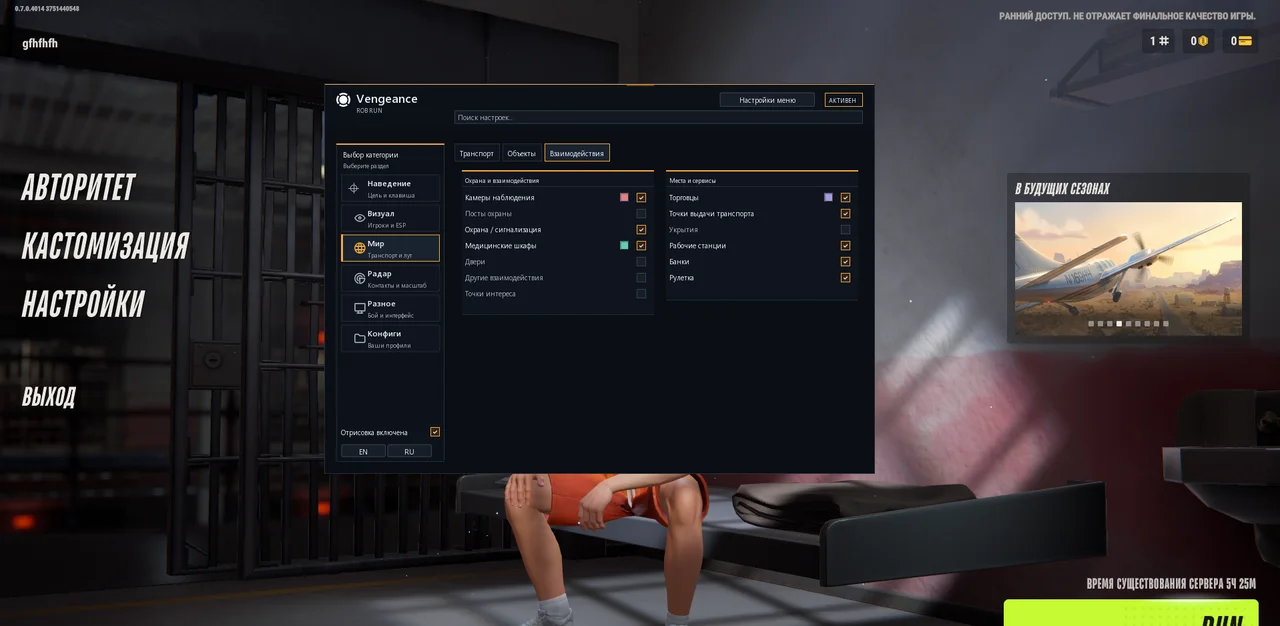
- Menu sections: Aim, Visuals, World, Radar, Misc and Config.
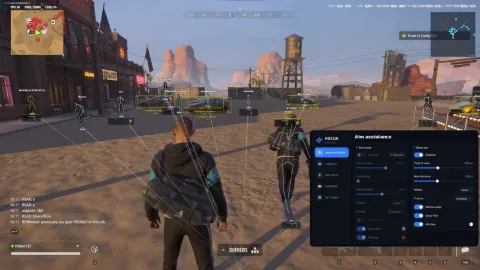
Aimbot (Full)8
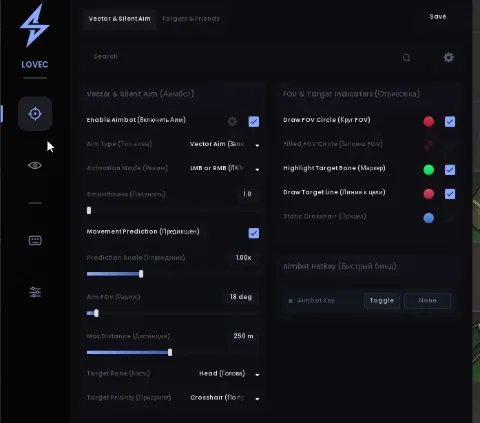
- Hold-key aiming; right mouse button by default, disabled initially.
- Aim FOV: 10–500 pixels; eligible targets are ranked by proximity to the targeting-area centre.
- Smoothing: 1–30; higher values produce slower, smoother movement.
- Target bone: pelvis, chest, neck or head.
- Maximum targeting distance: 10–1000 m.
- Separate NPC targeting; the local character and dead characters are excluded.
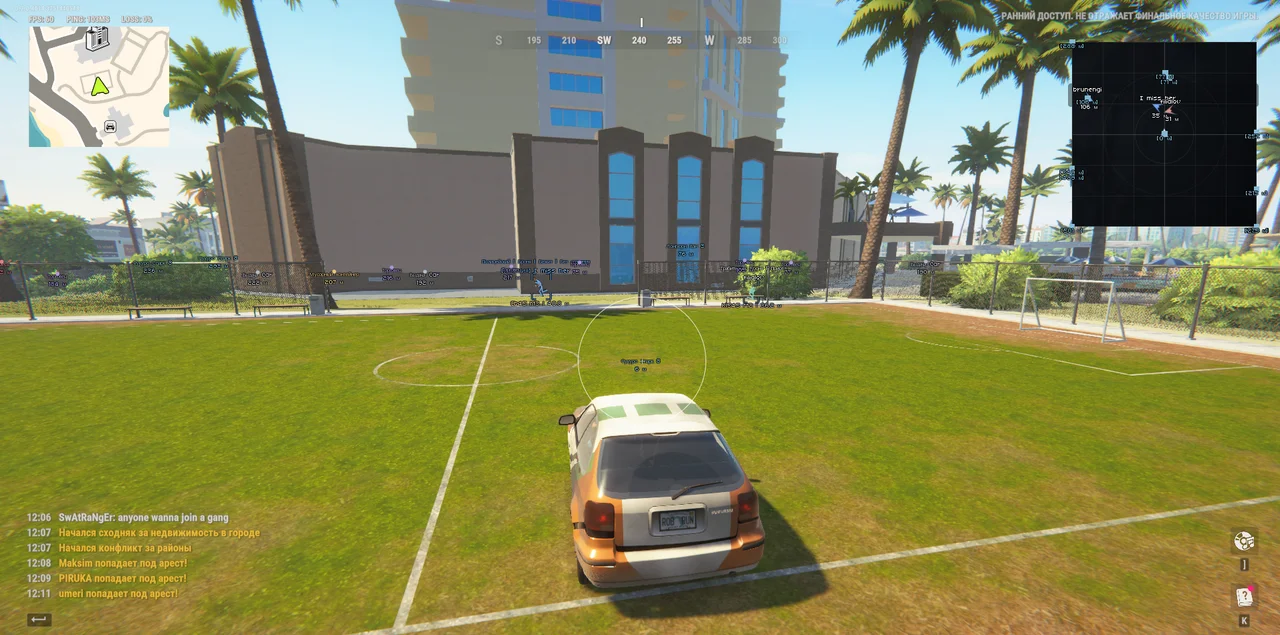
- Configurable-color FOV circle, independent of the aim-enabled switch while visual rendering is enabled.
- Aiming stops on key release, menu opening, loss of game focus or missing fresh data.
Battle Mode7
- Keeps opponents in Player ESP and radar while hiding world labels and vehicles.
- Default F6 toggle key; supports keyboard keys and mouse buttons.
- One toggle per press; holding the key does not repeat.
- Clan battles use attacker/defender sides and hide the local side.
- In the open world, members of the same non-empty clan are hidden; police are allies when your role is police.
- Dead characters and ordinary NPCs are excluded; police NPCs may remain opponents for other roles, subject to the Police filter.
- BATTLE MODE indicator beside an enabled radar; saved category switches are preserved.
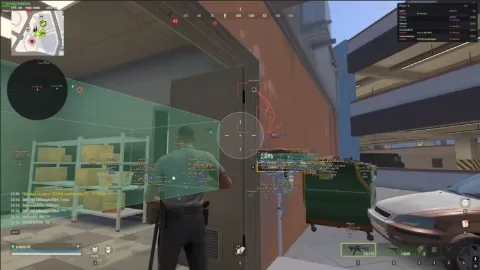
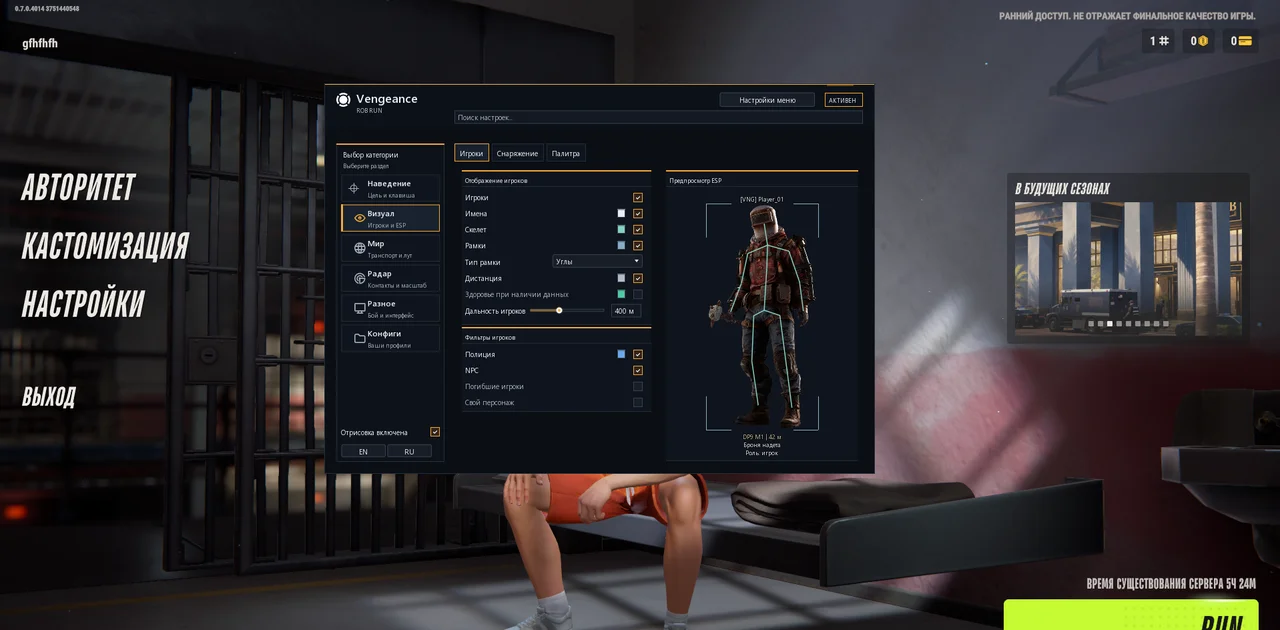
Player ESP7
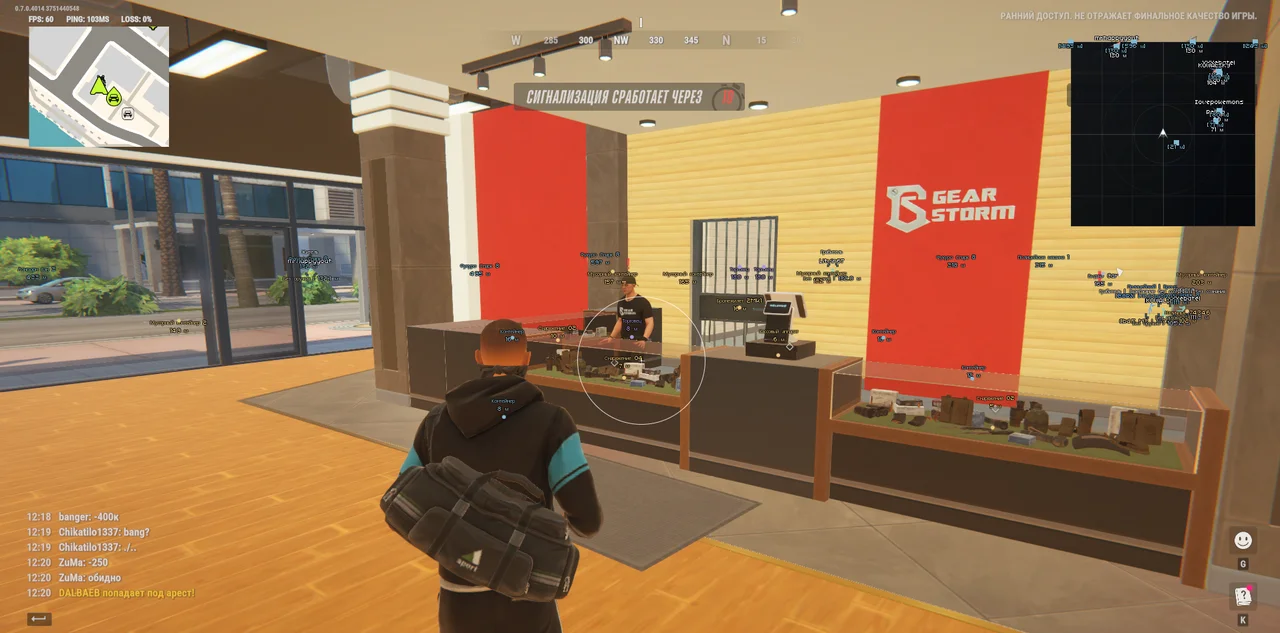
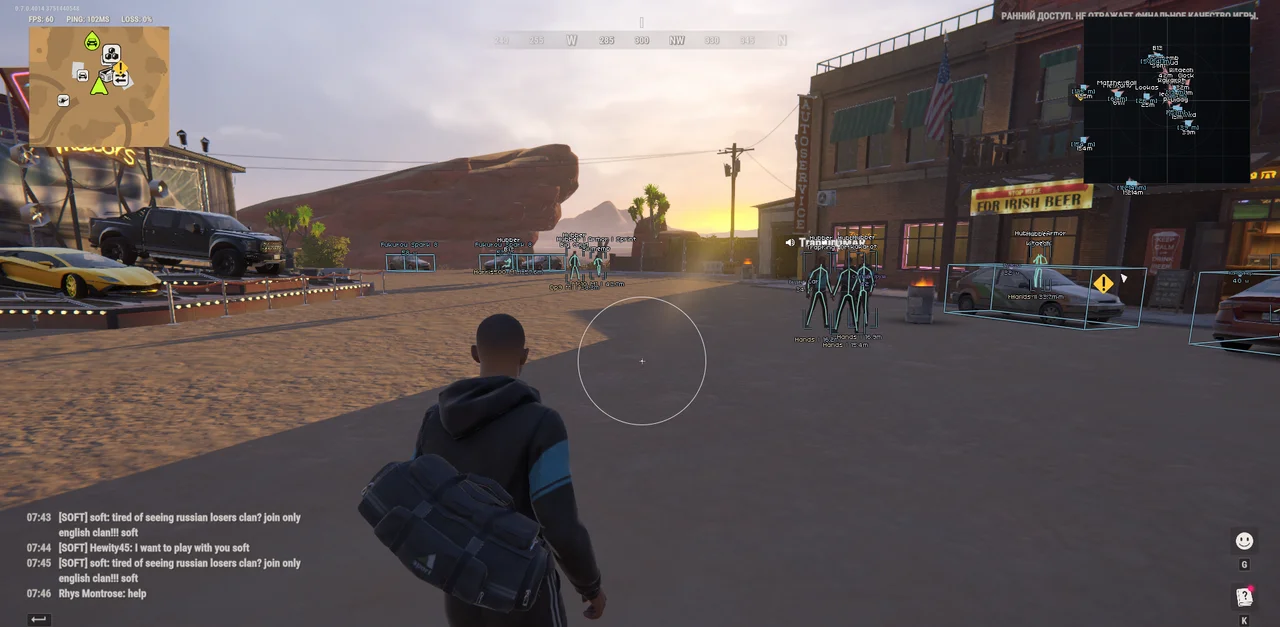
- Players, names, clan tags, COP markers and entity IDs.
- Skeletons use measured joints with smoothing; missing joints are not invented.
- Full and corner boxes.
- Distance in metres; thin health bar only when current and maximum HP are available.
- Player ESP distance: 10–1000 m, independent of radar settings.
- Separate Police, NPC, dead-character and local-player filters.
- In-menu preview of boxes, skeletons, labels and supported indicators.
Equipment and Labels5
- Held weapon/item when its description is available.
- Armor-presence indicator; numeric amount or durability only when available.
- Separate role, clan-tag and entity-ID toggles.
- Available character states: firing, sprinting, crouching, reloading, arrest and knockout.
- Skeleton line thickness: 1–4.
Vehicle ESP7
- Cars and helicopters in the world.
- Oriented 3D boxes when dimensions and orientation are available.
- Vehicle name and distance with configurable color and opacity.
- Vehicle ESP distance: 20–1500 m.
- Owner or available/unowned state; number of detected characters associated with the vehicle.
- Engine state, cargo presence and speed in km/h when data is available.
- Separately enabled details with a 10–500 m detail distance.
Items and Containers10
- Separate filters for loose items, cash, loot nodes, bags, containers and cargo.
- Known stack counts or cash amounts in labels.
- Available vehicle remains, furniture, building and plot loot stores.
- Option to display objects known to be empty/taken; unknown state is not treated as empty.
- Item range: 10–1000 m, limited by overall world range of 10–1000 m.
- Two-row labels: name above, distance below.
- Overlapping-label suppression with nearby-object and item priority.
- Russian translation for items, containers and vehicles while preserving weapon designations, nicknames and owner names.
- Brief retention of last successful markers during read failures; confirmed removal applies immediately.
- Bag/container ESP does not automatically reveal every object’s full inventory.
Cameras and Map Objects8
- Surveillance-camera markers and broken-state indicators when available; no access to camera video feeds.
- Guard posts, alarms and security panels.
- Medical cabinets and medical locations.
- Doors and interaction points, including supported vault locations.
- Other interaction points and map points of interest.
- Traders and vehicle spawn/service points.
- Hideouts and workstations, including supported cargo-processing or exchange locations.
- Banks and roulette locations.
Radar7
- Grid radar with character markers and local direction arrow; no full location-map background.
- Rotate with camera; size: 100–400 px.
- Manual zoom: 0.05–5.00 and configurable X/Y screen position.
- Character direction arrows, names and distances.
- Distant contacts are dimmed and clamped to the radar edge.
- Separate vehicle switch; icons without vehicle names, with distance controlled by Radar labels.
- Player radar works independently of ordinary Player ESP and uses Police, NPC and Battle Mode filters.
Radar Auto Zoom5
- Smooth proximity zoom toward eligible nearby living contacts, returning to manual zoom afterward.
- Reaction range: 30–500 m; maximum auto zoom: 0.05–5.00.
- Response time: 0.15–2.00 seconds.
- Ignore same clan, dead characters, ordinary NPCs and allied police; Battle Mode adds its filters.
- Manual zoom is preserved and auto zoom does not zoom out below that baseline.
Palette and Interface9
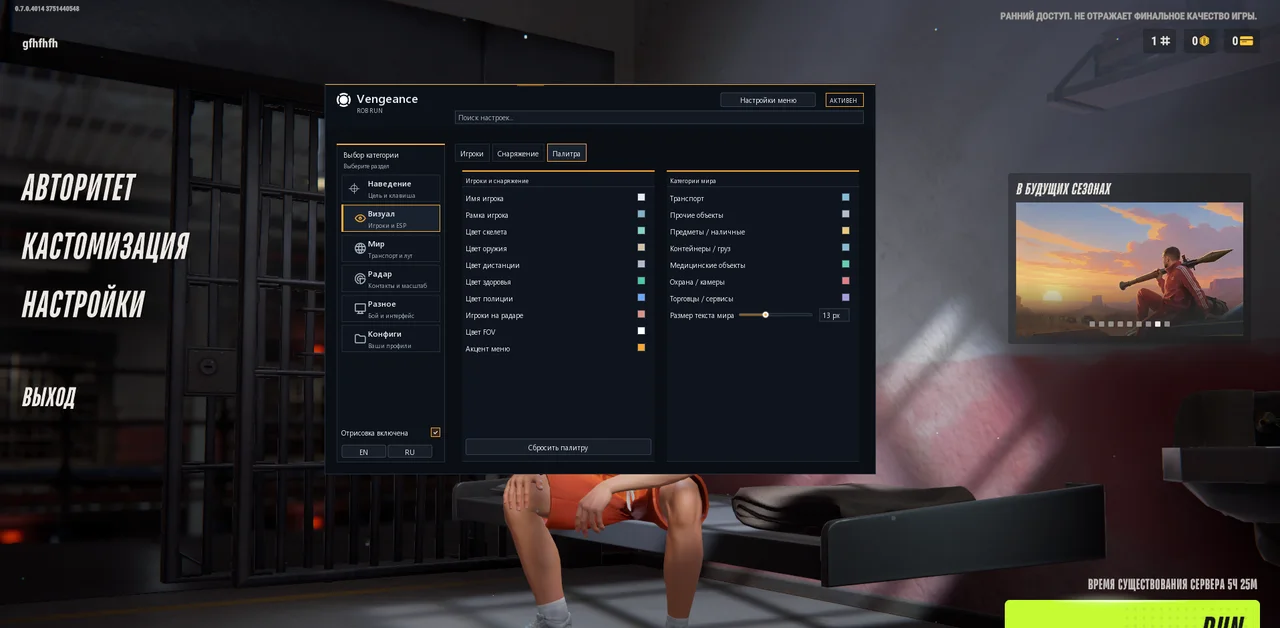
- Separate colors for names, boxes, skeletons, weapons, distance, health, police and radar contacts.
- Colors for vehicles, items, containers, medical objects, cameras and services.
- Opacity for supported elements, FOV color and menu accent.
- Restore the current theme’s default palette.
- World-label size setting: 9–20 px; scaling every label is not guaranteed.
- English/Russian interface with immediate translation updates.
- 75% or 85% menu scale and automatic screen fitting.
- Animated background and search across English/Russian setting names.
- Diagnostics for player, skeleton, vehicle and object counts, read time and snapshot age.
Profiles and Session Behavior5
- Create named JSON profiles; save, load, rename and delete profiles.
- Refresh profile list and autosave changes to the current configuration.
- Profiles retain visuals, aiming, radar, Battle Mode binding, colors and appearance.
- After confirmed game exit, the session stops and Discord.exe processes are terminated.
- Ctrl+F4 pauses the game session without closing Discord.
Description
Vengeance for ROB RUN is a cheat with Player ESP, vehicle and world-object tracking, radar and Battle Mode. The Full version adds aimbot controls with adjustable FOV, smoothing and target hitboxes. Lite retains the visual features, radar and profiles while disabling aiming.
The Vengeance aimbot in Full activates while the assigned key is held. Choose the head, neck, chest or pelvis, then adjust targeting radius, smoothing and maximum distance. A separate option enables NPC targeting. Aiming pauses when the menu opens or the game loses focus.
Player ESP displays boxes, skeletons, names, clan tags, distance, held items and available armor or character-state information. Separate filters cover police, NPCs, dead characters and the local player. Health appears only when the required data is available, and the in-menu preview helps customize the presentation.
World ESP covers cars, helicopters, loose items, cash, bags, containers and cargo. Separate categories include cameras, guard posts, medical locations, doors, traders, banks and workstations. Distance limits and overlapping-label suppression provide control over how much information appears on screen.
The built-in Vengeance radar uses a grid with character and vehicle markers. It supports camera rotation, adjustable placement, size and manual zoom, plus smooth automatic zoom toward eligible nearby contacts. Battle Mode hides world objects and vehicles while retaining opponents based on available clan and battle-side information.
English and Russian interfaces are available, with configurable colors, opacity and menu scale. Save preferred settings as named profiles or use autosave for the current configuration. The settings search accepts names in both languages.
Buy Vengeance for ROB RUN at Playmate Market with 1-day, 3-day, 7-day or 30-day access. Before purchasing, check the current status, selected version and system requirements. The developer guide states that exiting the game also terminates Discord processes; Ctrl+F4 pauses the session without closing Discord.
System requirements
- Session behavior
- Exiting the game terminates Discord processes. Ctrl+F4 pauses without closing Discord.
- Supported game client
- Steam
- Built-in spoofer
- No
- Anti-cheat
- In-game
- OBS capture bypass
- No
- Supported display modes
- Windowed / Borderless
- Supported processors
- Intel & AMD
- Supported operating systems
- Windows 10, Windows 11
Support
- Launch instructions come with the key.
- Before the first launch go through PC preparation — most errors will not appear.
- Answers to common questions are on the FAQ page.
- If something does not work, write to the FunPay order chat or support with a screenshot of the error and your Windows version.