DESYNC
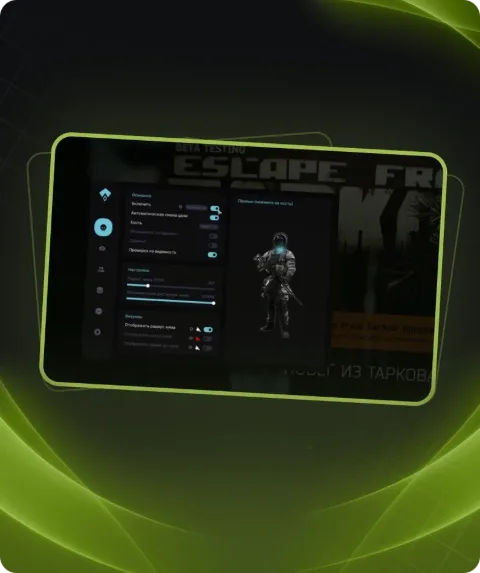
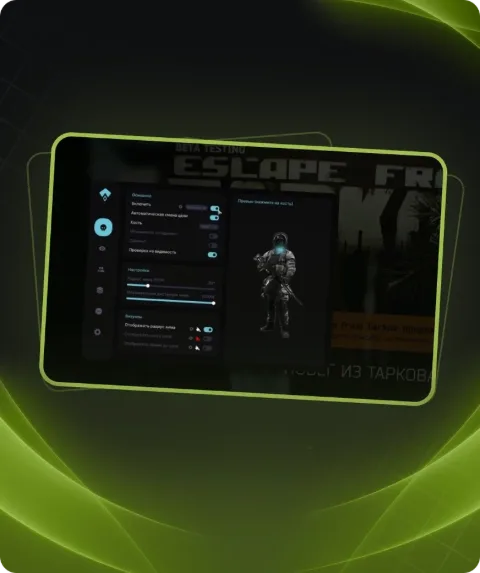
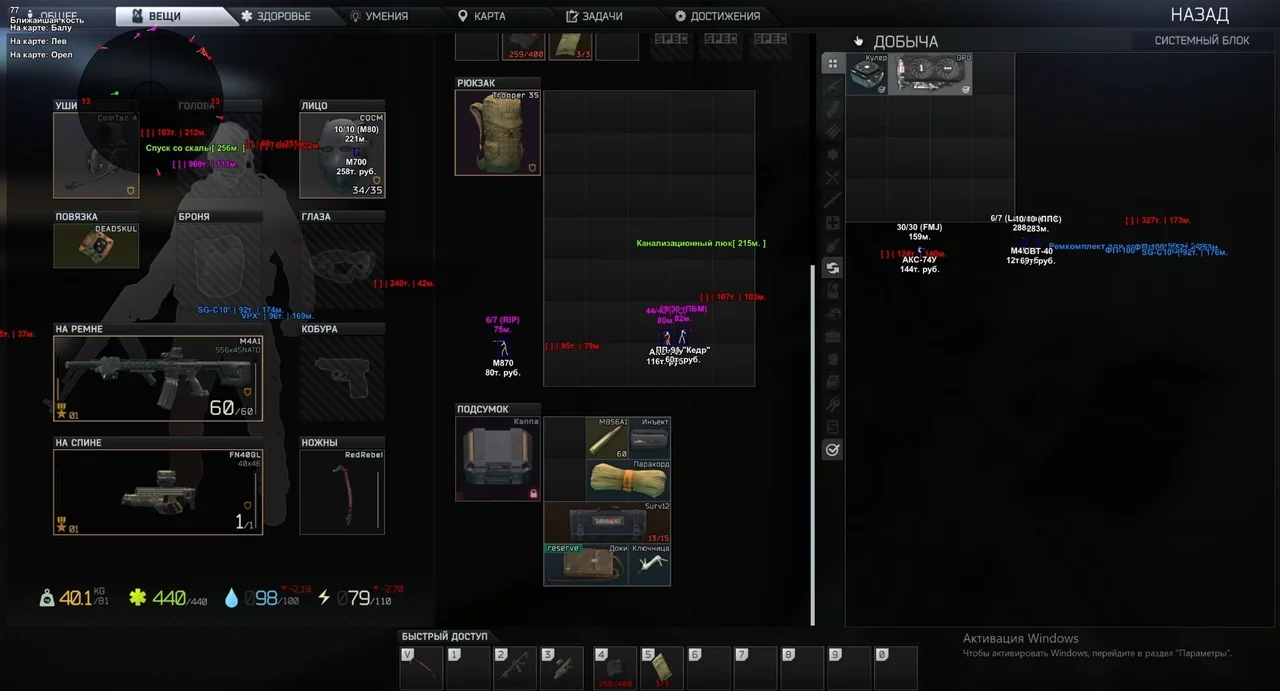
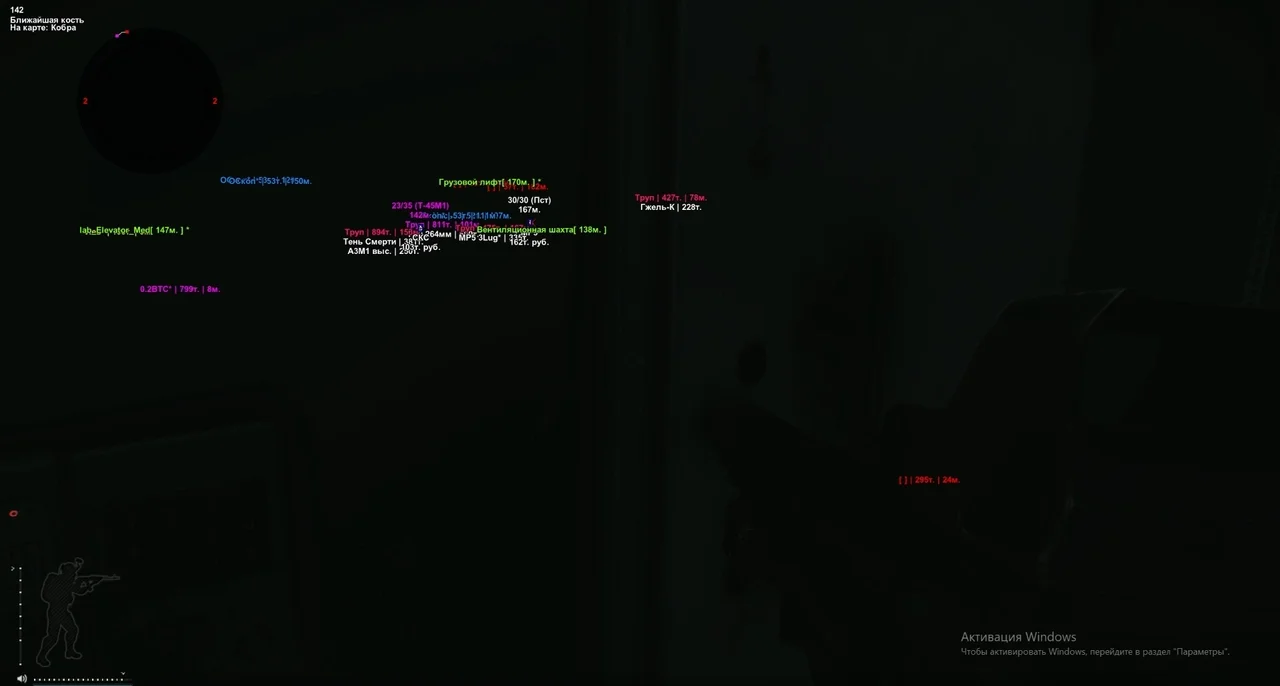
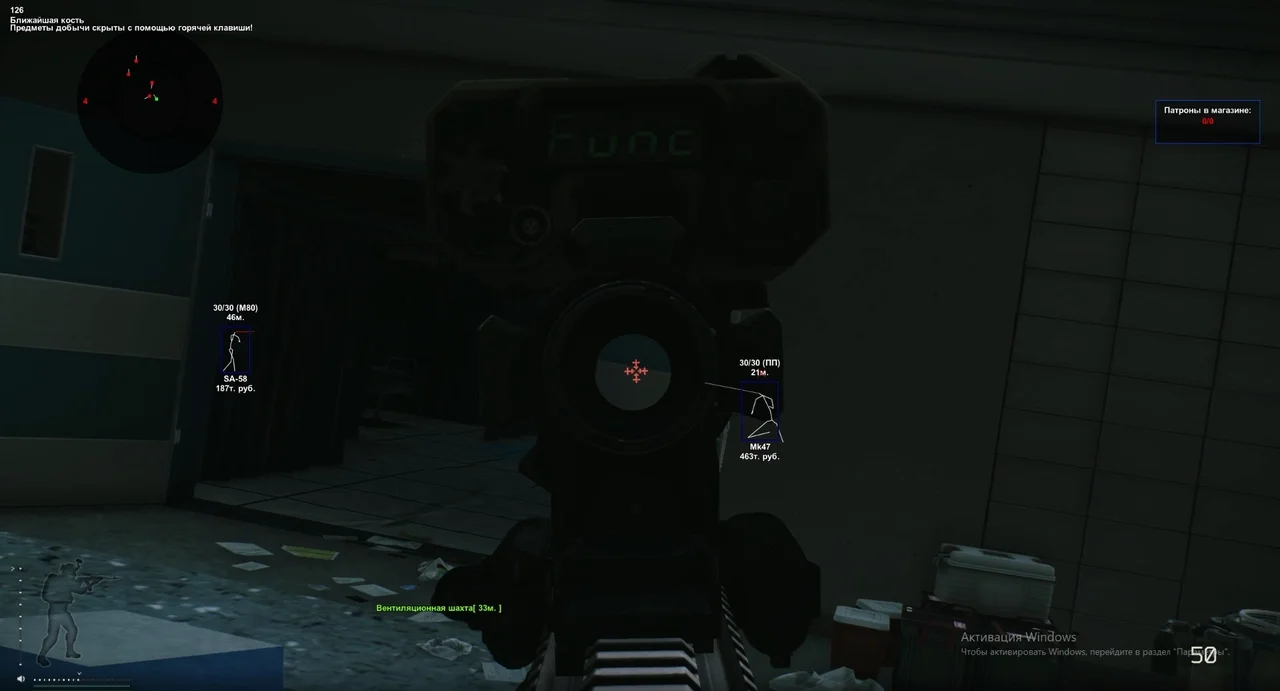
Desync — это мощный приватный чит для Escape from Tarkov, созданный для игроков, которым нужны максимальный контроль, информация и точность. Чит объединяет продвинутый Aimbot, гибкий ESP, удобный Radar, интеллектуальный лут-фильтр и широкий набор Misc-функций, значительно упрощающих PvP и PvE.
Этот срок выдаётся вручную: ключ придёт в чат заказа на FunPay в течение 2 ч после оплаты.
Ручная выдача: этот товар оплачивается не через FunPay. После оплаты ключ выдаём вручную.
- Оплата напрямую, не через FunPay
- Ключ выдаём вручную после оплаты
- Инструкция по запуску приходит вместе с ключом
Функции DESYNC
AIMBOT11
- Mode – AIMBOT mode selection
- Key 1 / Key 2 – aim activation key
- Auto switch – auto change target after kill
- Smooth – aimbot smoothing
- Spot – shows current aim target
- FOV – target capture radius
- Show FOV – draw FOV radius
- Show Spot – draw aim marker
- Show current aim bone – display selected bone
- Legs for nearest bone – aim at legs as nearest bone
- Silent AIM – silent aiming
ESP22
- Show Visuals – enable wallhack
- Box – draw box
- Bone – draw skeleton
- Name – display enemy names
- Exits – show exits
- Grenades – show grenades
- Player Price – show player inventory price
- Level – player level
- Snipe zone – sniper zones
- Weapon – weapon in player’s hands
- Mines – draw mines
- Enemy armor – display armor
- Enemy ammo – display enemy ammo
- Head outline – head highlight
- Players on map – show player list on map
- Bear / Usec – show faction
- K/D rate – kill/death ratio
- Bot name – display bot names
- Distance – calculate player distance
- Snapline – lines to players
- Turn off info – hide additional info (top-left)
- Max distance – ESP render distance
RADAR6
- Mode – radar mode selection
- Color – background color
- Transparency – radar transparency
- Max Distance – radar working distance
- Players' perspective – player view direction
- Gaze indicator – shows if enemy looks at you
MISC16
- Crosshair – additional crosshair
- Border – radar border type
- Radar – enable radar
- My Ammo – show ammo amount and type
- No recoil + No breath + No sway – disable shaking, weapon sway and recoil
- No visor – remove visor
- Infinity stamina – infinite stamina
- Thermal visor – night/thermal vision
- Loot through walls – loot items through walls (up to 4m)
- Chams – player color models
- Quest items – display quest items
- Quest marks / places – display quest locations
- Quest full info – quest hints
- Always daytime – always day (client-side)
- Skip examining – instant examine
- Fast search – fast enemy search
LOOT17
- Open custom loot filter – open manual loot filter
- Show items – show items
- Show loot in containers – container loot
- Show loot in dead boxes – loot in corpses
- Show ‘found in raid’ – FIR status
- Show full weapon price – weapon value
- Show drink / food (15%) – food/water under 15%
- Collapse container child – show nested container content
- Show debug items – debug items
- Show all keys – all keys
- Show all medicine – all medicine
- Show best loot – highlight best loot
- Sort by price – sort by price
- Sort by slot – price per slot
- Min item price – minimum price
- Max item distance – item distance
- Max container distance – container distance
FRIENDS2
- Add friend – add friend (ignore in aimbot)
- Remove friend – remove friend
KEYS8
- Keys – keybind settings
- Panic key – instant visuals disable
- Show loot key – toggle loot
- Thermal vision key – toggle thermal vision
- Switch aim spot key – switch aimbot bone
- Unload key – unload cheat
- Font size – select font size
- Font name – select font
Описание
Desync — это мощный приватный чит для Escape from Tarkov, созданный для игроков, которым нужны максимальный контроль, информация и точность. Чит объединяет продвинутый Aimbot, гибкий ESP, удобный Radar, интеллектуальный лут-фильтр и широкий набор Misc-функций, значительно упрощающих PvP и PvE.
Aimbot поддерживает разные режимы, выбор кости, плавность наведения, визуальный FOV, маркеры цели и даже Silent AIM. ESP отображает всё важное: игроков, ботов, фракции, гранаты, выходы, мины, оружие, уровни, расстояние и стоимость инвентаря. Раздел Loot позволяет видеть содержимое контейнеров, трупов, ценность предметов, фильтровать по цене и выделять лучший лут.
Radar показывает позиции, направление взгляда врагов и ключевую информацию в реальном времени. Misc включает отключение отдачи, stamina exploit, thermal visor, лут сквозь стены, chams, быстрый поиск, постоянный дневной свет и другие преимущества.
Desync работает стабильно, не снижает FPS и остаётся незаметным благодаря оптимизированной архитектуре. Покупая Desync на Playmate Market, вы получаете приватный, безопасный и эффективный инструмент для доминирования в EFT по низкой цене.
Системные требования
- Поддерживаемый клиент игры
- Steam и Launcher
- Встроенный спуфер
- Да
- Античит
- Внутриигровой
- Обход записи в ОБС
- Да
- Поддерживаемые режимы игры
- Оконный, Безрамочный, Полноэкранный
- Поддерживаемые процессоры
- Intel и AMD
- Поддерживаемые системы
- Windows 10 (21H2, 22H2), Windows 11(22H2,23H2)
Поддержка
- Инструкция по запуску приходит вместе с ключом.
- Перед первым запуском пройдите подготовку ПК — так большинство ошибок не появятся.
- Ответы на частые вопросы — на странице «Частые вопросы».
- Если что-то не работает — напишите в чат заказа на FunPay или в поддержку, приложите скриншот ошибки и версию Windows.