ORIGINS
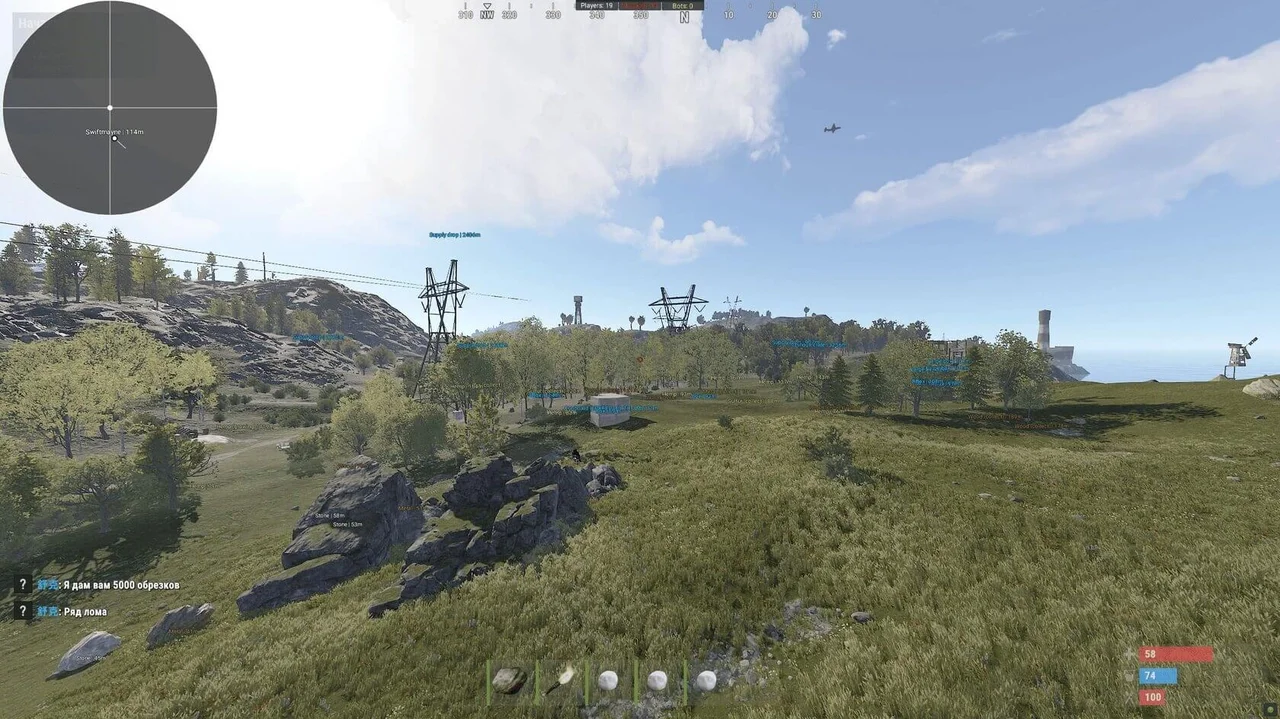
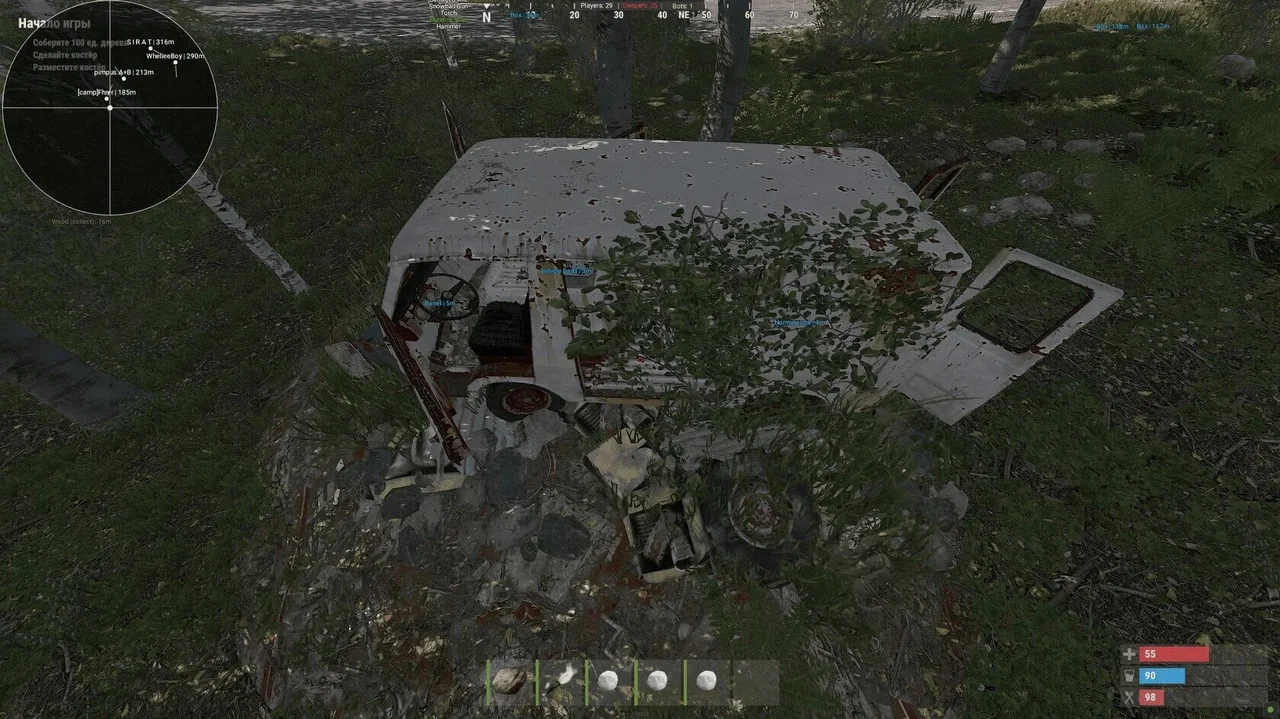
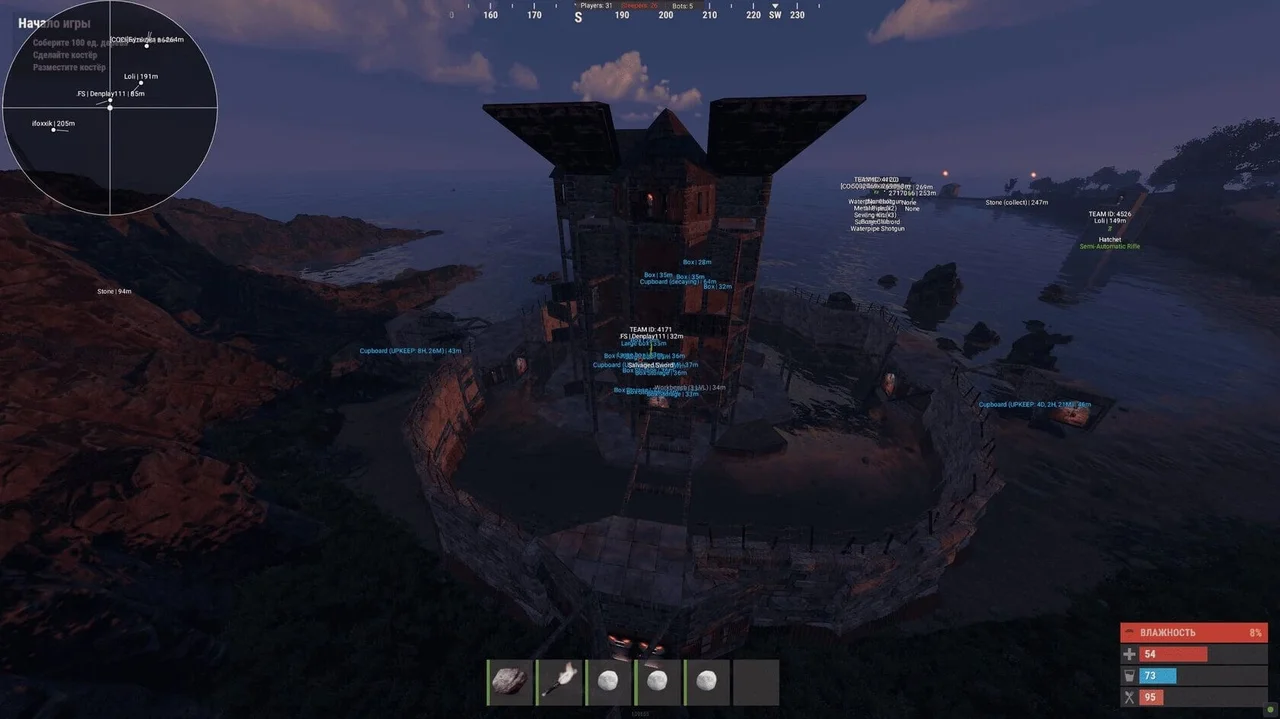
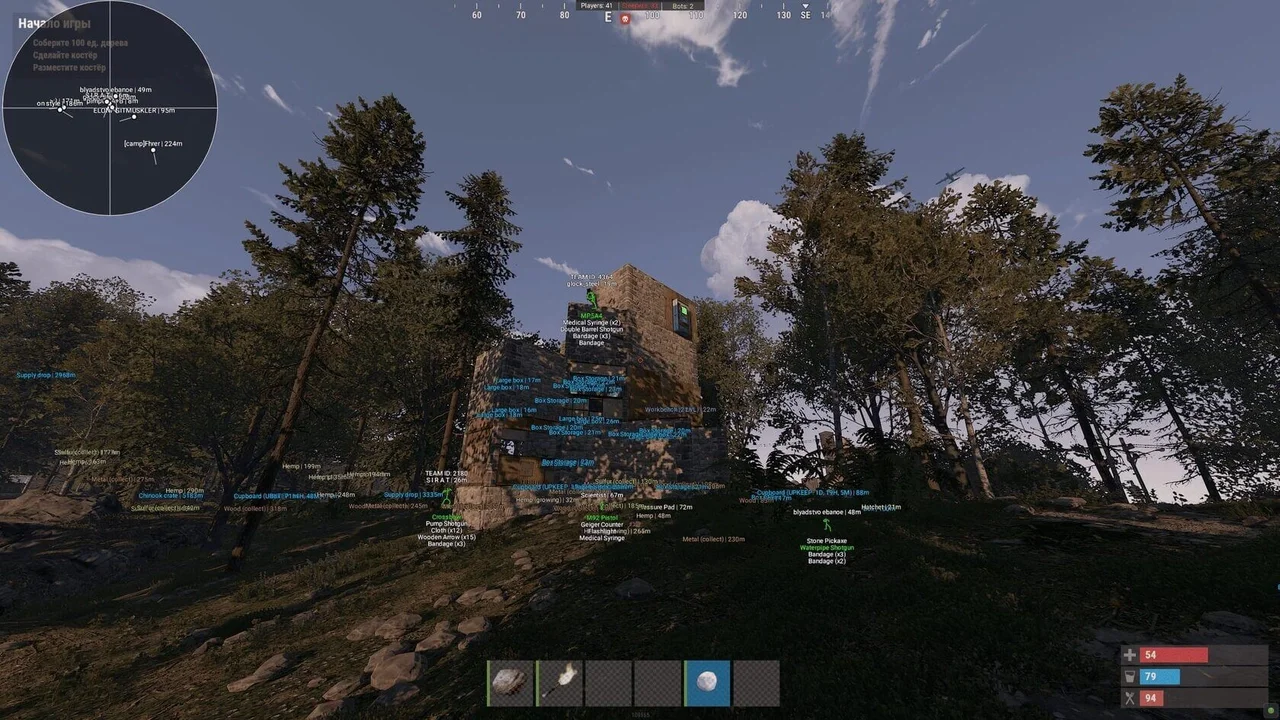
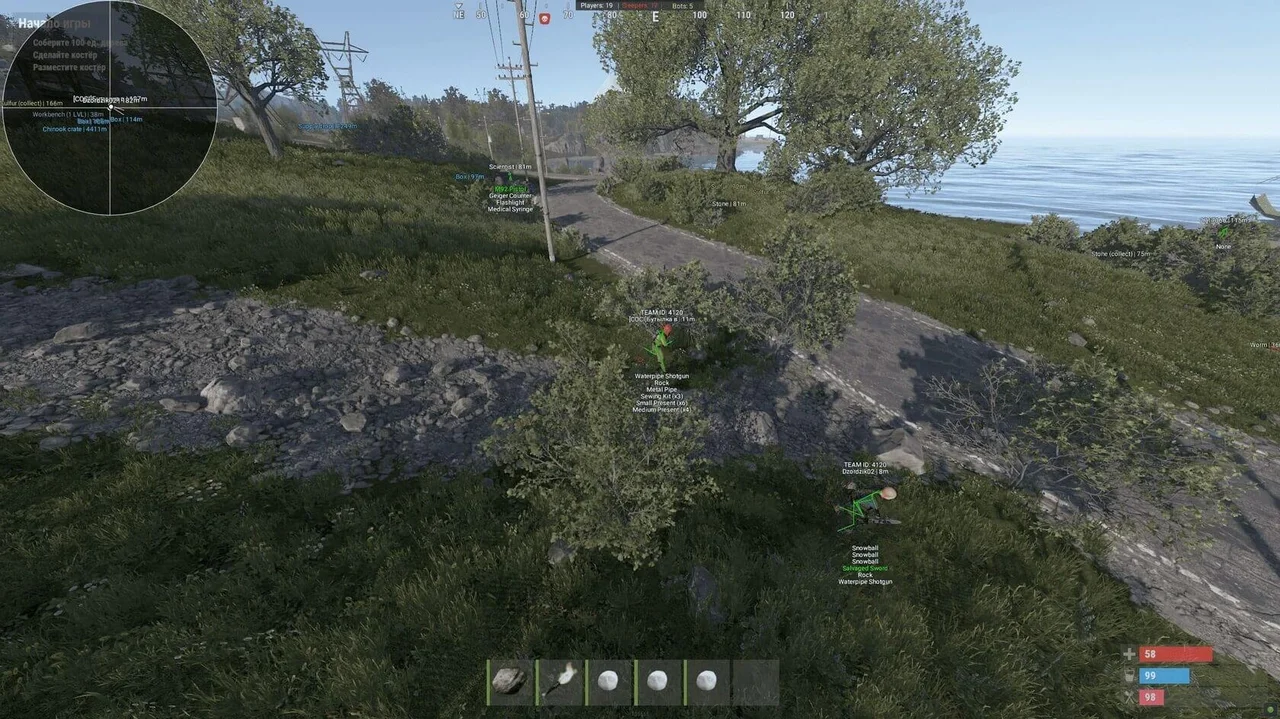
Origins для Rust показывает игроков, ресурсы, транспорт и лут, включает аимбот, радар, анти-отдачу и улучшения оружия. Безопасный софт, только рабочие читы. Купить можно на Playmate Market.
Этот срок выдаётся вручную: ключ придёт в чат заказа на FunPay в течение 2 ч после оплаты.
- Ключ приходит сразу после оплаты
- Оплата через FunPay — деньги защищены площадкой
- Инструкция по запуску приходит вместе с ключом
- Ключ выдаётся сразу после оплаты
- Оплата онлайн удобным способом
- Инструкция по запуску приходит вместе с ключом
Функции ORIGINS
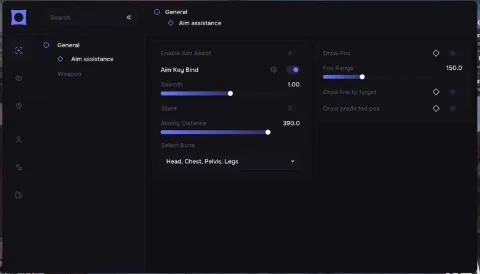
Aimbot settings — Aimbot Settings10
- Active (Key Bind Selection) — Activate Tab
- Team check — Team Check
- Ignore sleepers — Ignore Sleepers
- Visible check — Visibility Check
- Type (Slider Selection) — Type (Silent — Invisible, Mouse — Visible via Mouse)
- Bone (Slider Selection) — Bone (Nearest, Head, Pelvis, Chest)
- FOV (1-300) — FOV (Radius)
- Time to aim — Time to Aim
- On target delay — Target Change Delay
- Max distance (1-400) — Max Distance
Visual components2
- Draw FOV — Draw FOV
- Draw aim target — Draw Aim Target
Characters11
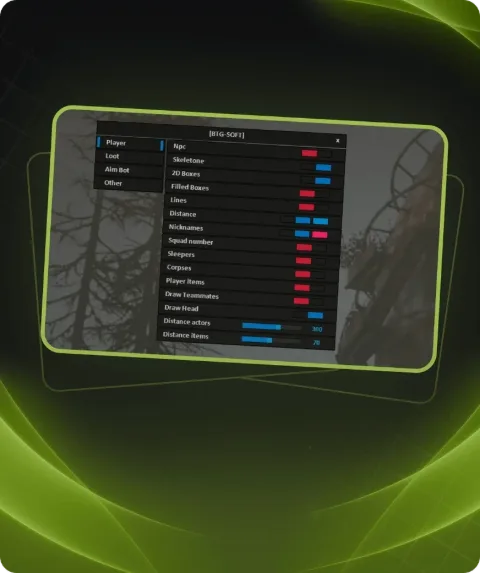
- NPC — Display NPCs, including static ones
- Sleeper — Display Sleepers
- Skeleton (Color Selection) — Skeleton Display (Color Selection)
- TeamID (Color Selection) — Team ID Display (Color Selection)
- Nickname (Color Selection) — Nickname Display (Color Selection)
- Held item — Display Active Item in Hand
- Quick slots — Display Quick Slot Items as a List
- 3D Box — Display Characters Inside a 3D Box
- Distance — Display Distance to Characters
- Max distance for player (1-400) — Max Distance for Players
- Max distance for NPC (1-400) — Max Distance for NPCs
Characters corpse3
- Active (Color Selection) — Activate Tab (Color Selection)
- Distance — Display Distance to Player Corpses
- Max distance (1-400) — Max Distance for Player Corpses
Animals corpse3
- Active (Color Selection) — Activate Tab (Color Selection)
- Distance — Display Distance to Animal Corpses
- Max distance (1-400) — Max Distance for Animal Corpses
Animals13
- Active (Color Selection) — Activate Tab (Color Selection)
- Horse — Display Horses
- Bear — Display Bears
- Boar — Display Boars
- Stag — Display Stags
- Wolf — Display Wolves
- Shark — Display Sharks
- Chicken — Display Chickens
- Display health — Display Animal Health
- Horse energy — Display Horse Energy
- Distance — Display Distance to Animals
- Max distance for horse (1-400) — Max Distance for Horses
- Max distance for other (1-400) — Max Distance for Other Animals
Vehicles17
- Active (Color Selection) — Activate Tab (Color Selection)
- Minicopter — Display Minicopters
- Modular car — Display Modular Cars
- Drones — Display Drones
- Bike — Display Bikes
- Motorcycle — Display Motorcycles
- Snowmobile — Display Snowmobiles
- Submarines — Display Submarines
- Tugboat — Display Tugboats
- Rowboat — Display Rowboats
- RHIB — Display Military Boats
- Diver propulsion — Display Diver Propulsion Devices
- Attack helicopter — Display Attack Helicopters
- Scrap helicopter — Display Scrap Helicopters
- Health — Display Vehicle Health
- Distance — Display Distance to Vehicles
- Max distance (1-400) — Max Distance for Vehicles
Traps13
- Active (Color Selection) — Activate Tab (Color Selection)
- Shotgun trap — Display Shotgun Traps
- Auto turret — Display Auto Turrets
- Flame turret — Display Flame Turrets
- Snap trap — Display Snap Traps
- Can alarm — Display Can Alarms
- Landmine — Display Landmines
- SamSite — Display SAM Sites
- NPC turrets — Display NPC Turrets in Safe Zones
- Status — Display Trap Status
- Health — Display Trap Health
- Max distance for SamSite (1-400) — Max Distance for SAM Sites
- Max distance for other (1-400) — Max Distance for Other Traps
Extractables6
- Wood — Display Wood Nodes
- Stone — Display Stone Ore Nodes
- Metal — Display Metal Ore Nodes
- Sulfur — Display Sulfur Ore Nodes
- Distance — Display Distance to Resources
- Max distance (1-400) — Max Distance for Resources
Collectibles9
- Stone — Display Collectible Stone
- Metal — Display Collectible Metal
- Sulfur — Display Collectible Sulfur
- Wood — Display Collectible Wood Stumps
- Hemp — Display Hemp
- Diesel — Display Diesel Fuel
- Distance — Display Distance to Collectibles
- Max distance for diesel (1-400) — Max Distance for Diesel Fuel
- Max distance for other (1-400) — Max Distance for Other Collectibles
Radtown loot3
- Active — Activate Tab
- Distance — Display Distance to Radtown Loot
- Max distance (1-400) — Max Distance for Radtown Loot
Food9
- Active — Activate Tab
- Food crate — Display Food Crates
- Corn — Display Corn
- Mushroom — Display Mushrooms
- Pumpkin — Display Pumpkins
- Potato — Display Potatoes
- Other — Display Other Food Items
- Distance — Display Distance to Food Items
- Max distance (1-400) — Max Distance for Food
Dropped items3
- Active (Color Selection) — Activate Tab (Color Selection)
- Distance — Display Distance to Dropped Items
- Max distance (1-400) — Max Distance for Dropped Item
Other3
- AirDrop — Display AirDrops
- Chinook crate — Display Chinook Crates (with timer)
- Distance — Display Distance to Other Items
Deployables12
- Active (Color Selection) — Activate Tab (Color Selection)
- Cupboards — Display Cupboards
- Storages — Display Storage Boxes
- Workbench — Display Workbenches
- RF receiver — Display RF Receivers
- RF broadcaster — Display RF Broadcasters
- Enemy tracker — Display Motion Sensors
- Cupboard upkeep — Display Cupboard Upkeep Time
- Distance — Display Distance to Deployables
- Max distance for cupboards (1-400) — Max Distance for Cupboards
- Max distance for workbench (1-400) — Max Distance for Workbenches
- Max distance for other (1-400) — Max Distance for Other Deployables
Misc features11
- Draw crosshair — Display Crosshair
- Anti recoil — Partial Recoil Compensation
- Anti spread — Partial Bullet Spread Compensation
- Anti sway — Partial Weapon Sway Compensation
- Automatic weapon mode — Convert Any Weapon to Automatic
- Success EOKA — EOKA Always Fires on First Try
- Melee weapon improvements — Increased Melee Weapon Range and Radius
- Custom time (1-24) — Set Custom Time of Day (1-24)
- Fulbright — Improved Visibility in Caves
- Debug camera (1-5) (Key Bind Selection) — Debug Camera Flight (Speed 1-5, Key Bind Selection)
- Enemies Counter (The counter can be moved with the mouse) — Display All Enemies in Render Range (Movable
Radar settings9
(The counter can be moved with the mouse)
- Active — Activate Tab
- Only players — Display Only Players, Ignore NPCs
- Show sleepers — Display Sleeping Players
- Directions — Display Player View Direction (Line)
- Name — Display Player Names
- Size (50-200) — Radar Size
- Text size (10-20) — Text Size
- Distance — Display Distance on Radar
- Draw distance — Set Radar Render Distance
General settings4
- Language — Language Selection (Currently English Only)
- Visuals font size (10-20) — Set Visuals Font Size
- Menu toggle (Key Bind Selection) — Menu Toggle Key Bind Selection
- Header — Menu Header Color
Описание
Origins — это чит для Rust с удобным ESP и аимботом, который закрывает все основные потребности игрока. Вы будете видеть игроков, NPC, спящих, животных, транспорт, ресурсы и ящики на любой дистанции. Все элементы настраиваются по цветам и дальности, что делает интерфейс максимально удобным.
Аимбот поддерживает режим Silent или Mouse, выбор кости для прицеливания, проверку видимости, ограничение по дистанции и FOV. Это даёт вам точность и скорость в перестрелках.
Кроме того, Origins убирает отдачу, разброс и покачивание оружия, улучшает работу EOKA, позволяет включать яркий мир, использовать радар и дебаг-камеру.
Программа безопасна, стабильна и не содержит вирусов. Мы продаём только приватные и рабочие читы, проверенные временем.
Купить Origins для Rust можно прямо сейчас на сайте Playmate Market.
Системные требования
- Поддерживаемый клиент игры
- STEAM
- Встроенный спуфер
- Нет
- Античит
- EAC
- Обход записи в ОБС
- Нет
- Поддерживаемые режимы игры
- Оконный, Безрамочный, Полноэкранный
- Поддерживаемые процессоры
- Только INTEL
- Поддерживаемые системы
- Windows 10, 11 (x64) 21H1, 21H2, 22H2, 21H2, 22H2, 23H2, 24H2
Поддержка
- Инструкция по запуску приходит вместе с ключом.
- Перед первым запуском пройдите подготовку ПК — так большинство ошибок не появятся.
- Ответы на частые вопросы — на странице «Частые вопросы».
- Если что-то не работает — напишите в чат заказа на FunPay или в поддержку, приложите скриншот ошибки и версию Windows.