LAGSWITCH DESYNC
Arena Breakout Infinite LagSwitch creates artificial lag to confuse enemies and win duels. Safe, virus-free and stable software. We sell only private and working cheats. Buy at Playmate Market.
This term is delivered manually: the key will arrive in the FunPay order chat within 2 h after payment.
- Your key arrives right after payment
- Payment via FunPay — your money is protected by the marketplace
- Launch instructions come with the key
- Your key is issued right after payment
- Online payment with a convenient method
- Launch instructions come with the key
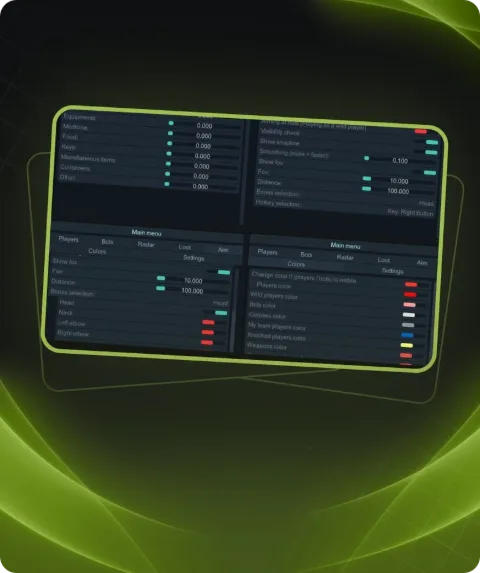
Functions LAGSWITCH DESYNC
Main Tab22
- Enable desync – activates all core features
- Enable Keybind – keybind to activate features
- Sounds – sound effects for actions (e.g. activation)
- Firewall mode – uses Windows Firewall instead of a driver
- Path – path to the target executable/game (used with Firewall mode)
- Method – activation method selection:
- Temporary: desync runs according to configured duration
- Pressing: runs until the key is pressed again
- Hold: runs while the key is being held down
- Traffic – type of traffic to block:
- Outbound: outgoing traffic
- Inbound: incoming traffic
- Duration – desync active time (without kick bypass, for Temporary method)
- Delay after – delay after desync ends before it can be reactivated
- KeyBind – main hotkey for desync activation
- Protocol – traffic protocol to block:
- UDP
- TCP
- Kick bypass – prevents disconnection from the game due to poor connection:
- Duration: duration of each desync cycle
- Separator: delay between desync cycles
- Iterations: number of desync repetitions (Duration * Iterations)
Settings Tab4
- Randomizator – randomizes the duration of the block
- Fix Traffic – emergency button to restore internet if something goes wrong
- Save Configuration – saves current config
- Reset Configuration – resets config to default settings
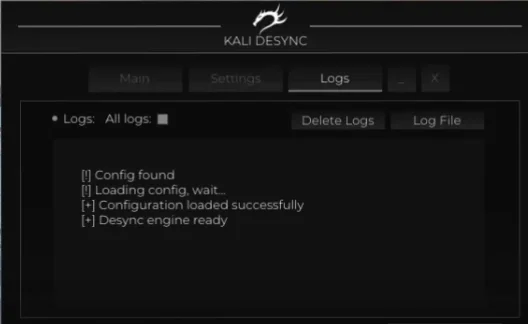
Logs Tab4
- All logs – enables log display during desync activation
- Delete Logs – removes log files
- Log File – location of the log file
- Logs – displays software activity logs
Description
Want to dominate your Arena Breakout Infinite matches with confidence? Then LAGSWITCH is your perfect companion! This cheat will transform your gameplay experience by adding unique features that will change your strategy and take your skill to the next level.
With LAGSWITCH, you can freeze enemies in place for a few seconds, giving you precious time to make decisions and plan your next moves effectively. Multiple lag modes allow you to tailor the cheat to your playstyle — choose between Lag Switch and Fake Lag, depending on the situation on the battlefield.
Controlling LAGSWITCH is simple and convenient. You can activate lag with a single custom hotkey, while sound effects add immersion to your tactical plays.
The main advantage of this cheat is its flexibility. You can configure the lag duration, delay between activation and deactivation, enable traffic filtering, and much more. And of course, don’t forget to save your settings so you can pick up exactly where you left off next time.
LAGSWITCH isn’t just a cheat — it’s a tool that helps you reach new heights in Arena Breakout Infinite. Don’t miss your chance to improve your gameplay — get LAGSWITCH now and become unstoppable in battle!
System requirements
- Included spoofer
- No
- Supported game modes
- Windowed, Borderless, Fullscreen
- Supported CPU
- Intel & AMD
- Supported OC
- Windows 10, 11
Support
- Launch instructions come with the key.
- Before the first launch go through PC preparation — most errors will not appear.
- Answers to common questions are on the FAQ page.
- If something does not work, write to the FunPay order chat or support with a screenshot of the error and your Windows version.