- Key right into the order chat
- Your money is protected by the marketplace


Unnamed
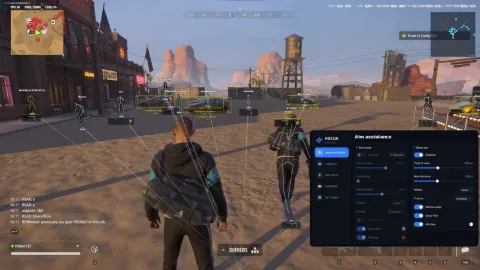
Unnamed is a premium private cheat for Rob Run from a trusted developer. Controller support for aimbot.
Tick the box to go to payment
- Card, SBP, SberPay
- Key arrives by email
This term is delivered manually: the key will arrive in the FunPay order chat within 2 h after payment.
Functions Unnamed
Aimbot19
- Enable Aimbot
- Mouse activation binding
- Controller activation binding
- Visible-only targeting
- FOV circle
- Target line
- Activation modes: Hold, Toggle, Always
- Target filter
- Target bone selection
- Ignore civilians
- Ignore cops
- Ignore criminals
- Adjustable FOV
- Dead zone
- Smoothing
- Aim speed
- Target stickiness
- Target switch delay
- Maximum distance
Silent Aim16
- Enable Silent Aim
- Mouse activation binding
- Visible-only targeting
- Automatic shooting
- Shot delay
- FOV circle
- Target line
- Activation modes: Hold, Toggle, Always
- Target filter
- Target bone selection
- Ignore civilians
- Ignore cops
- Ignore criminals
- Adjustable FOV
- Hit chance
- Maximum distance
Player ESP9
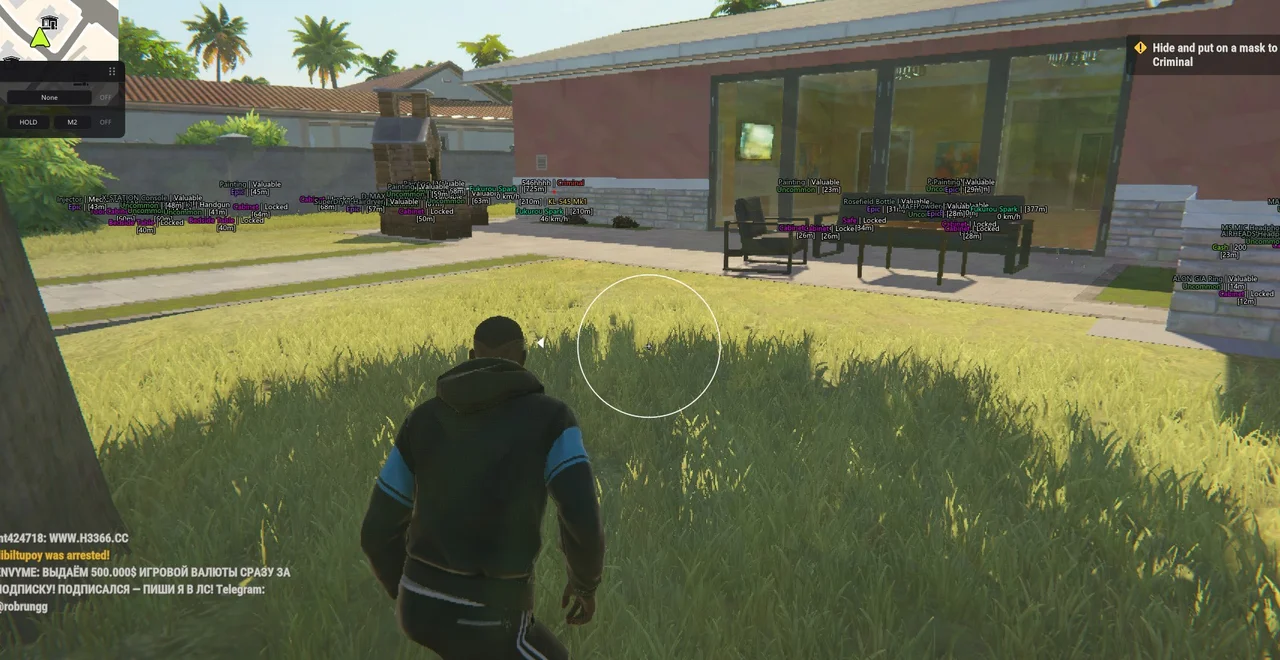
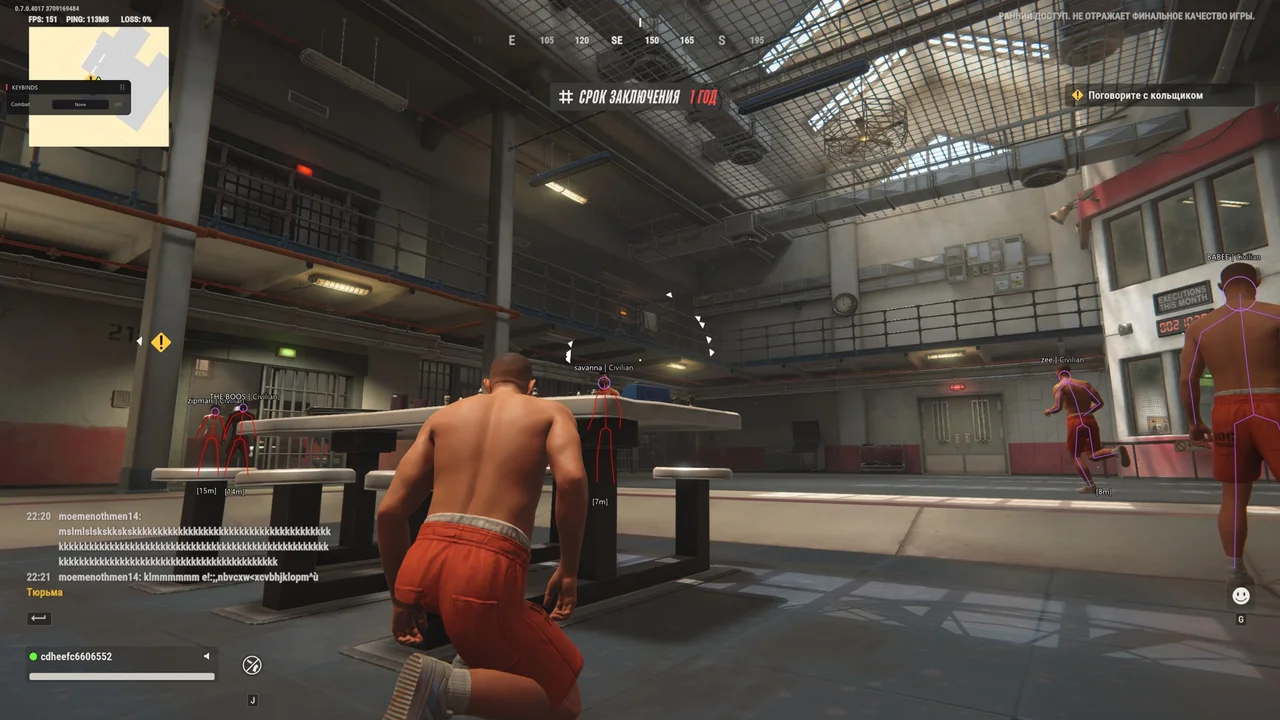
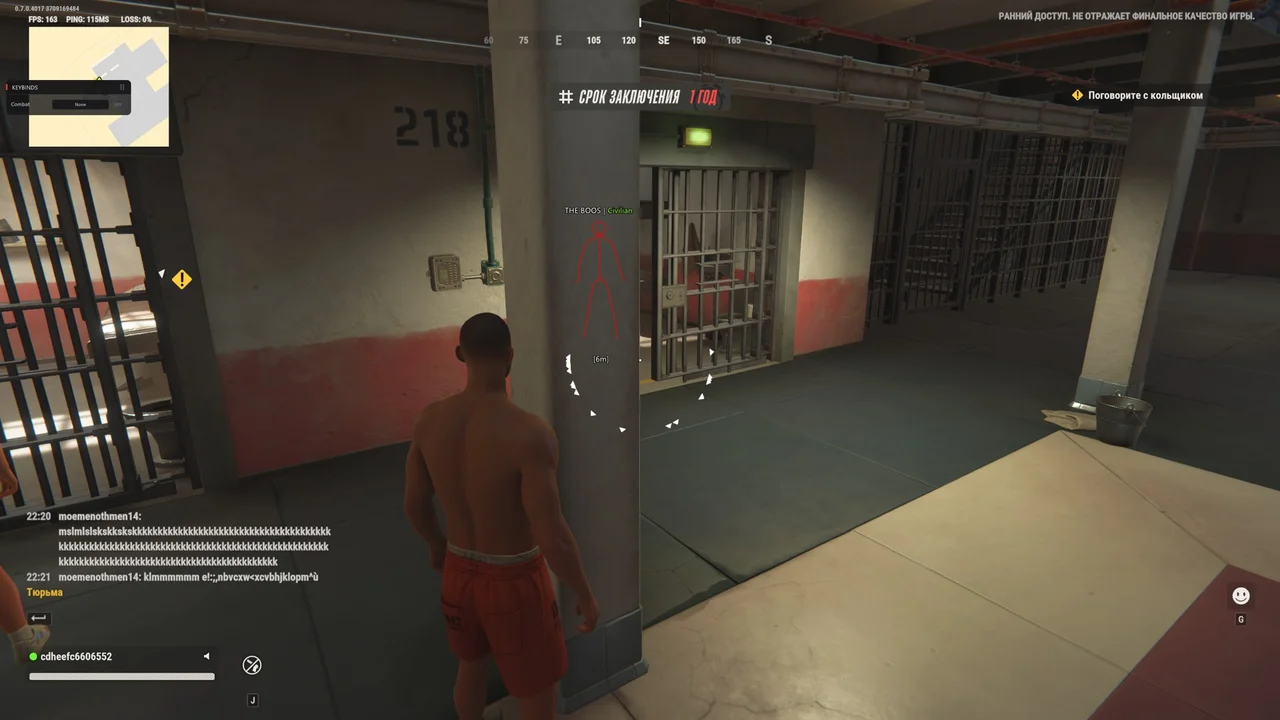
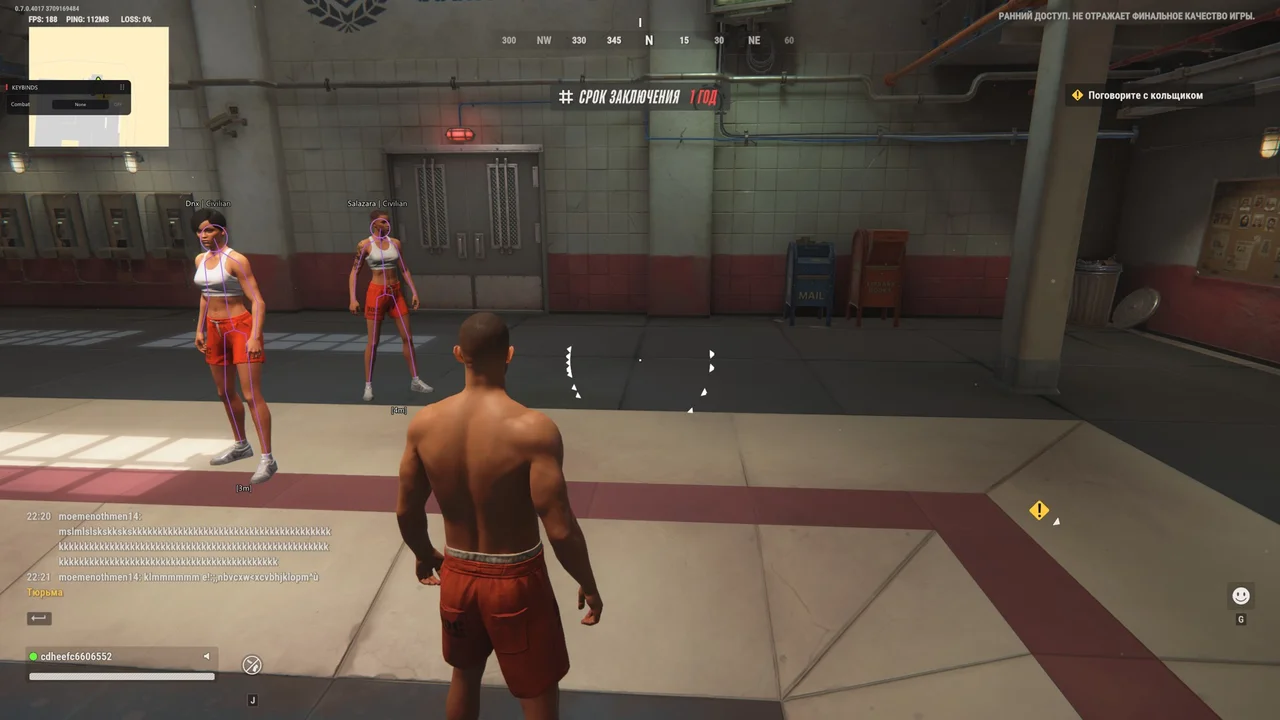
- Skeleton
- Head circle
- View direction
- Off-screen arrows
- Name
- Role
- Held item
- Distance
- Maximum distance
Vehicle ESP4
- Name
- Distance
- Speed
- Maximum distance
Loot ESP5
- Name
- Category
- Rarity
- Distance
- Maximum distance
Cash ESP4
- Name
- Amount
- Distance
- Maximum distance
Container ESP4
- Name
- State
- Distance
- Maximum distance
Cargo ESP5
- Name
- Distance
- Ground cargo
- Event cargo
- Maximum distance
Grenade ESP4
- Name
- Type
- Distance
- Maximum distance
Bag ESP3
- Name
- Distance
- Maximum distance
Misc11
- No recoil
- No sway
- No spread
- Rapid fire
- No smoke
- No flash
- Bullet tracers
- Visual font size
- Crosshair
- Keybind list
- Combat mode
Configs5
- Create
- Load
- Save
- Delete
- Refresh
Additional features3
- Native controller support
- Per-bone visibility check
- Protection of visuals from anti-cheat screenshots
Description
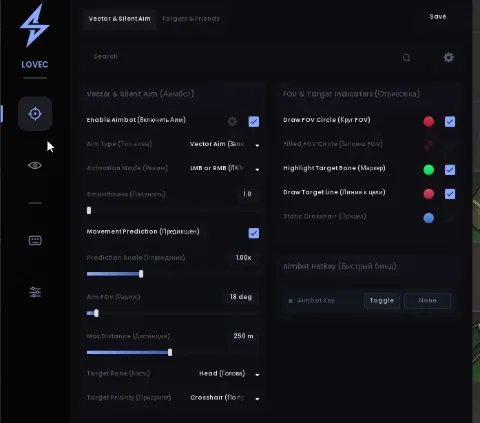
Unnamed supports mouse or controller activation for its standard aimbot. Silent Aim has separate FOV and distance settings.
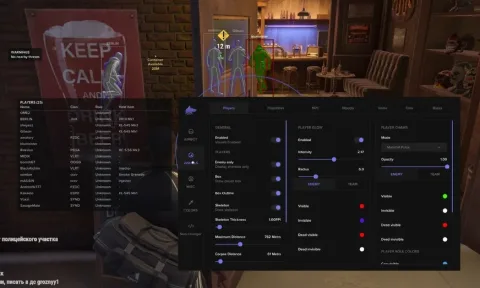
Unnamed for Rob Run combines Aimbot, Silent Aim and eight dedicated ESP categories. This Playmate Market product page brings together the available features, interface screenshots, system requirements and access options so you can compare the settings before purchasing.
The Aimbot includes adjustable smoothing, aim speed, FOV, dead zone and target-switch delay. Bone selection, visibility checks and separate civilian, cop and criminal filters let you configure how targets are selected. Mouse and native controller activation bindings are available.
Silent Aim has its own controls for FOV, hit chance, range, automatic shooting and shot delay. Hold, toggle and always-on activation modes are supported, with visible-only targeting and independent target filters.
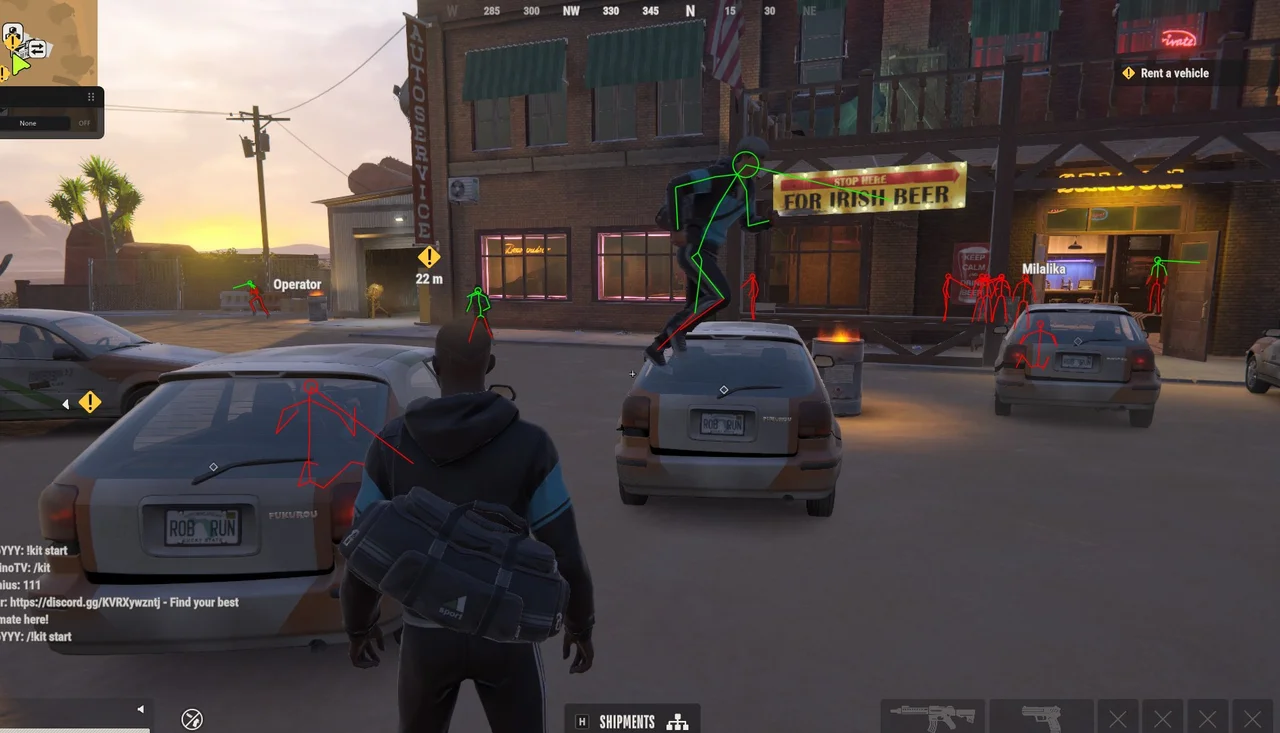
The ESP system covers players, vehicles, loot, cash, containers, cargo, grenades and bags. Player visuals include skeletons, roles, held items, view direction and off-screen arrows. Other categories show relevant details such as vehicle speed, loot rarity, cash amounts and container state.
Additional settings include recoil, sway and spread controls, rapid fire, smoke and flash removal, bullet tracers, a crosshair and combat mode. Configuration profiles can be created, saved and loaded. The developer also lists protection of visuals from anti-cheat screenshots.
Unnamed Rob Run supports the Steam client, Intel and AMD processors, and the listed Windows 10/11 versions. Check the RAM and graphics requirements before buying. Playmate Market offers 1-day, 7-day, 30-day and lifetime access options.
System requirements
- Additional requirements
- 8 GB RAM minimum (16 GB recommended); NVIDIA, AMD or Intel UHD graphics. No BIOS setup required.
- Supported game client
- Steam
- Built-in spoofer
- No
- Anti-cheat
- In-game
- OBS capture bypass
- No
- Supported display modes
- Windowed, Borderless
- Supported processors
- Intel and AMD
- Supported operating systems
- Windows 10 (all versions), Windows 11 21H1–26H2
Support
- Launch instructions come with the key.
- Before the first launch go through PC preparation — most errors will not appear.
- Answers to common questions are on the FAQ page.
- If something does not work, write to the FunPay order chat or support with a screenshot of the error and your Windows version.